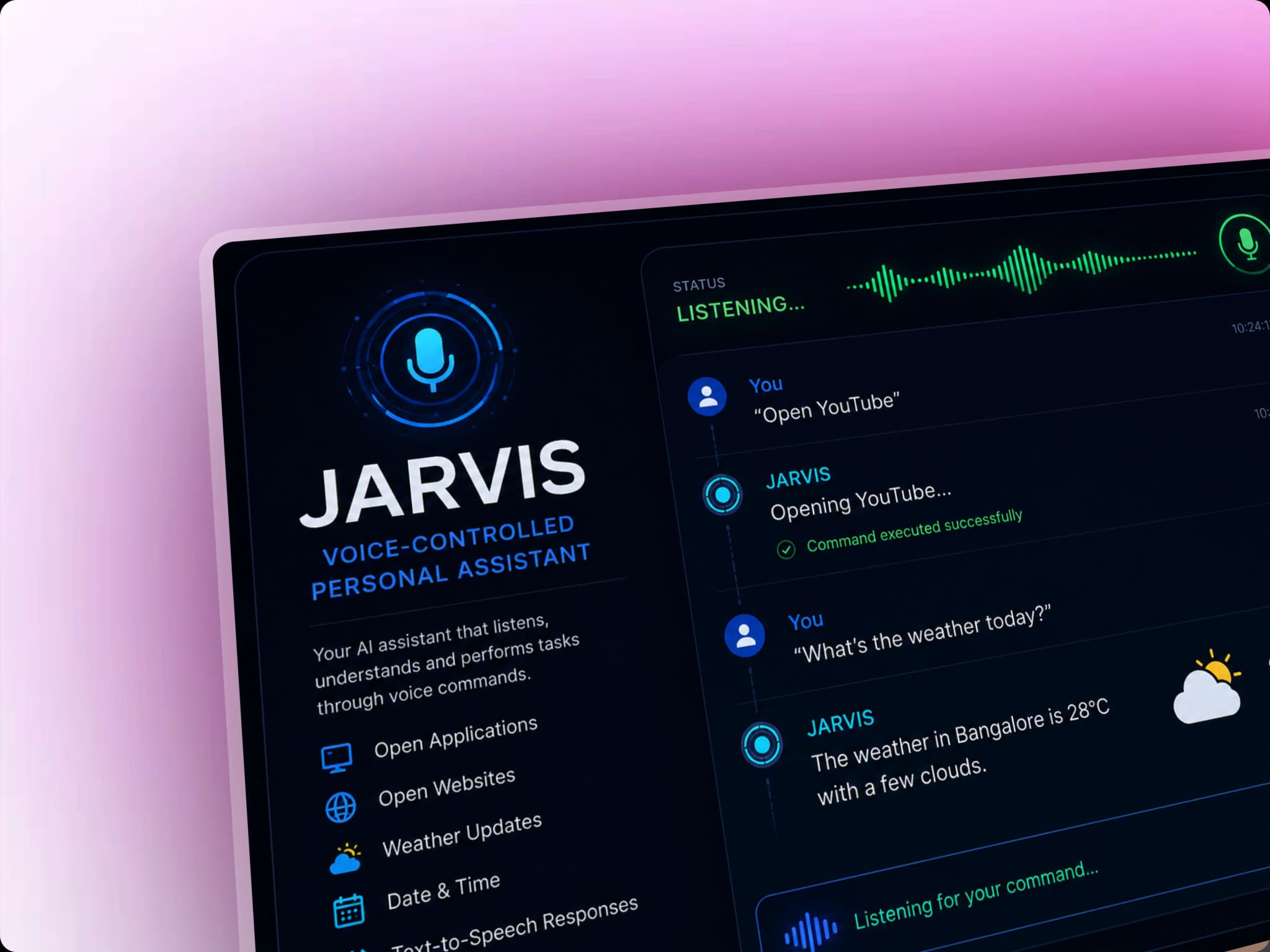
Jarvis AI - A Personal Assistant
Python-based voice assistant that performs tasks through voice commands, such as opening apps/websites and providing date, time, and weather information.
Timeline
2026
Role
Python Developer
Team
Solo
Status
WorkingKey Challenges
- Understanding structure
- Logic Building
Key Learnings
- Python Libraries
- Text-to-Speech
- Rapid Development
JARVIS: Voice-Controlled Personal Assistant
Overview
JARVIS is a Python-based personal assistant developed as a college project. It allows users to interact with the computer using voice commands instead of manually performing common tasks.
The assistant listens to spoken commands, processes them using Python libraries, and performs the requested action. It can open applications and websites, provide information such as the current date, time, and weather, and handle other basic system and web-related tasks.
The project was designed to explore practical applications of Python, speech recognition, text-to-speech, and automation.
What Users Can Do
- Voice Commands: Interact with the assistant using natural voice commands
- Open Applications: Launch applications installed on the computer through voice commands
- Open Websites: Open commonly used websites directly through voice commands
- Date & Time: Ask JARVIS for the current date and time
- Weather Information: Ask for current weather information
- Text-to-Speech: Receive spoken responses instead of relying only on text
- Speech Recognition: Convert spoken commands into text for processing
- Computer Automation: Perform basic computer tasks through voice interaction
- Extensible Commands: Add new commands and capabilities as the project evolves
Why I Built This
The project was built as a college project to understand how Python can be used to create an interactive voice-based application.
The main goals were to:
- Explore speech recognition and voice-based interaction
- Understand how computers can process spoken commands
- Learn how Python can interact with the operating system
- Automate common computer tasks
- Understand text-to-speech systems
- Build a practical project instead of only learning Python concepts theoretically
- Experiment with the idea of creating a personal digital assistant
Tech Stack
Programming Language
- Python: Core programming language used to build the assistant
Python Libraries & Technologies
- SpeechRecognition: Used to capture and process speech input
- pyttsx3: Used for converting text responses into speech
- Webbrowser: Used to open websites through voice commands
- OS / System Libraries: Used for interacting with the operating system and launching applications
- Additional Python Libraries: Used for features such as weather information and other assistant capabilities
How It Works
The basic workflow of JARVIS is:
- Listen – The assistant listens for the user's voice.
- Recognize – Speech recognition converts the spoken command into text.
- Process – Python analyzes the command and determines what action should be performed.
- Execute – The assistant performs the requested task, such as opening an application or website.
- Respond – JARVIS provides a response using text-to-speech.
This creates a simple voice interaction loop between the user and the computer.
Building Experience
Learning Through a Real Project
Building JARVIS helped me move beyond basic Python programming and understand how different libraries can work together to create a complete application.
Instead of treating Python libraries as isolated concepts, I learned how to combine speech recognition, text-to-speech, system commands, and web automation into a single workflow.
Problem-Solving
The project involved handling real-world challenges such as:
- Converting speech into reliable text
- Handling different voice commands
- Mapping commands to specific actions
- Managing cases where speech could not be recognized
- Integrating multiple Python libraries
- Interacting with the operating system
- Designing the assistant so new commands could be added easily
Impact & Results
- Working Voice Assistant: Built a functional voice-controlled assistant capable of performing common tasks
- Computer Automation: Reduced the need for manually performing repetitive tasks
- Practical Python Experience: Applied Python to a real-world automation project
- Voice Interaction: Implemented speech recognition and text-to-speech capabilities
- College Project: Successfully developed the project as part of my college learning experience
- Extensible Foundation: Created a foundation that can be expanded with more advanced capabilities
Future Enhancements
I plan to revisit and improve JARVIS by adding more advanced features and making the assistant more reliable and useful.
Potential improvements include:
- AI-Powered Conversations: Integrate an LLM to make conversations more natural
- Better Command Understanding: Allow users to phrase commands in different ways
- Task Automation: Perform more complex multi-step computer tasks
- Application Control: Expand the number of applications and system functions JARVIS can control
- Personalized Responses: Remember user preferences and frequently used commands
- Reminder System: Create and manage reminders through voice commands
- Information Retrieval: Provide answers to general questions using external APIs or AI
- Improved Error Handling: Handle unclear or unsupported commands more gracefully
- Modern UI: Add a visual interface showing the assistant's current state and activity
- Wake Word Detection: Allow the assistant to activate when a specific wake word is spoken
Key Learnings
- Python Development: Strengthened practical Python programming skills
- Speech Recognition: Learned how applications can process human speech
- Text-to-Speech: Implemented spoken responses using Python
- Automation: Learned how Python can interact with the operating system
- Library Integration: Learned how to combine multiple libraries to build a complete application
- Problem Solving: Debugged issues involving speech recognition, commands, and system interaction
- Project Development: Gained experience turning an idea into a functional college project
- Future Scalability: Learned the importance of designing projects so additional features can be added later